Android Desktop Mode: Turning Smartphones Into Portable PCs
The evolution of smartphones has been one of the most transformative developments in modern technology. Over the last decade, mobile devices have gradually replaced many traditional computing tools, offering powerful processors, cloud-based applications, and large storage capacities. Despite these advancements, smartphones have continued to fall short in one key area—delivering a full desktop-like productivity experience.
With the introduction of Android desktop mode, this limitation is finally being addressed. The latest Android update introduces a native desktop environment that allows smartphones to function as portable PCs when connected to external displays, keyboards, and mice. This development represents a major shift in how users interact with mobile devices and signals a new direction for the Android ecosystem.
A Major Leap Toward Desktop Computing
For years, Android users have relied on basic screen mirroring when connecting their phones to larger displays. While useful for presentations or media consumption, this approach did not provide a true desktop experience. The interface remained mobile-centric, limiting productivity and multitasking capabilities.
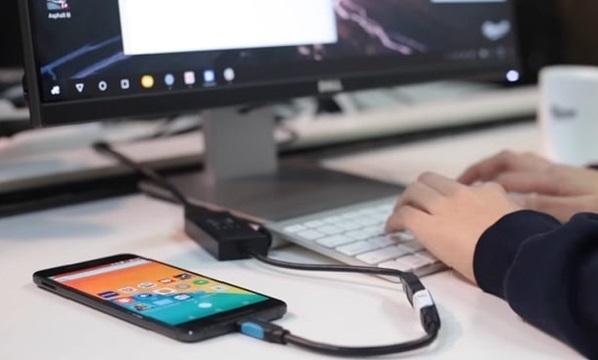
Android desktop mode changes this completely. When a compatible smartphone is connected to a monitor via USB-C, the interface transforms into a desktop-style environment. Users are greeted with a layout that includes a taskbar, resizable windows, and overlapping applications, closely resembling traditional operating systems like Windows or macOS.
This shift is not just cosmetic—it fundamentally changes how users interact with their devices. Instead of navigating full-screen apps, users can now multitask efficiently, opening multiple applications side by side and managing them with a mouse and keyboard.
Powered by Modern Android Versions
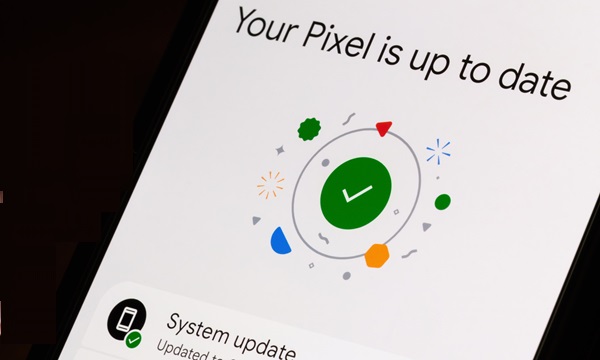
The foundation for desktop mode has been gradually built through successive Android updates, culminating in improvements associated with Android 16. These updates introduced better multitasking, window management, and external display support.
With Android 16, the operating system can now launch a dedicated desktop interface when an external display is detected. This interface operates independently from the phone’s screen, allowing users to perform different tasks on each display simultaneously.
For example, a user can browse documents on a monitor while using their phone for calls or messaging. This dual-functionality enhances productivity and creates a more flexible computing experience.
Hardware Requirements and Setup
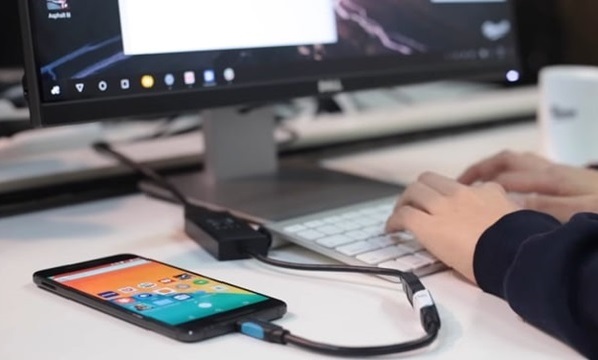
To fully utilize Android desktop mode, certain hardware requirements must be met. Not all smartphones support video output, so compatibility depends on the device’s USB-C port and internal hardware capabilities.
Basic Setup Includes:
- A compatible Android smartphone
- USB-C to HDMI cable or docking station
- External monitor
- Keyboard and mouse (wired or Bluetooth)
Once connected, the phone becomes the central processing unit, powering the entire setup. This configuration effectively transforms the smartphone into a portable workstation.
One of the biggest advantages of this setup is portability. Instead of carrying a laptop, users can rely on their smartphone as their primary computing device, connecting it to different workstations as needed.
Samsung’s Influence and Early Innovation
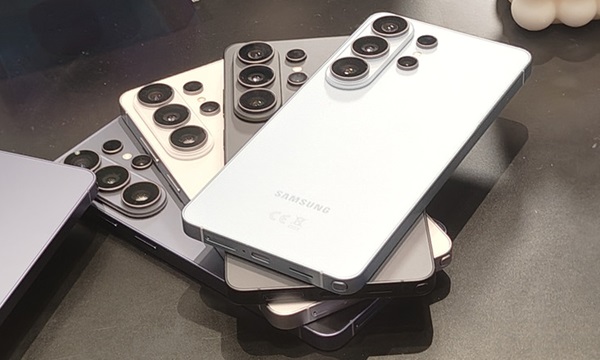
The concept of using a smartphone as a desktop computer is not entirely new. Samsung was one of the first companies to explore this idea with its Samsung DeX platform.
Samsung DeX introduced a desktop-like interface that allowed Galaxy smartphones to connect to monitors and run apps in a windowed environment. Over time, the feature evolved to include advanced multitasking, improved UI, and enhanced productivity tools.
Android’s native desktop mode builds upon these ideas but integrates them directly into the operating system. This means that, instead of relying on manufacturer-specific solutions, desktop functionality could eventually become a standard feature across Android devices.
Productivity Benefits for Everyday Users
One of the most compelling aspects of Android desktop mode is its potential to enhance productivity. By enabling a desktop-style interface, users can perform tasks that were previously difficult or inefficient on a smartphone.
Key Productivity Advantages:
- Multitasking: Run multiple apps simultaneously in resizable windows
- Improved Input: Use keyboard shortcuts and precise mouse controls
- Larger Workspace: Work on documents and spreadsheets on a bigger screen
- Better Organization: Manage tasks with a desktop-like interface
This functionality is particularly valuable for professionals who rely on tools like document editors, spreadsheets, and web applications.
A Game-Changer for Mobile-First Markets
In many parts of the world, smartphones are the primary computing device for millions of users. Android desktop mode has the potential to significantly impact these markets by reducing the need for additional hardware.
Users can carry a single device that serves multiple purposes—communication, entertainment, and productivity. By simply connecting their phone to a monitor, they can access a full workstation experience.
This concept aligns with the idea of device convergence, where a single device replaces multiple computing tools.
Enterprise and Workplace Applications
Businesses stand to benefit greatly from Android desktop mode. Organizations can reduce hardware costs by adopting a bring-your-own-device (BYOD) approach, where employees use their smartphones as workstations.
Enterprise Benefits Include:
- Lower hardware expenses
- Simplified device management
- Increased mobility for employees
- Seamless transition between mobile and desktop environments
Employees can move between locations and instantly access their workspace by connecting their phone to a dock or monitor.
Challenges and Limitations
Despite its potential, Android desktop mode is not without challenges.
1. App Optimization
Many Android apps are designed for touch interfaces and may not scale well to desktop environments. Some apps may appear stretched or lack proper keyboard and mouse support.
2. Hardware Compatibility
Not all smartphones support video output, limiting access to the feature. Users may need newer or premium devices to fully utilize desktop mode.
3. Performance Constraints
While modern smartphones are powerful, they may still struggle with intensive desktop-level workloads, especially when running multiple applications simultaneously.
4. Learning Curve
Users accustomed to traditional desktop systems may need time to adapt to Android’s desktop interface.
Competition From Other Ecosystems
Android is not alone in exploring mobile-to-desktop convergence. Other technology ecosystems are also developing similar features.
For example, Apple has enhanced its tablets with desktop-like capabilities through iPadOS, while Huawei has introduced desktop modes in its mobile operating systems.
These developments indicate a broader industry trend toward unified computing experiences, where devices seamlessly transition between different usage modes.
Future Outlook of Android Desktop Mode
The introduction of desktop mode is more than just a feature update—it is a strategic move toward redefining how computing works.
As Android continues to evolve, we can expect:
- Better app optimization for larger screens
- Wider device compatibility
- Deeper integration with productivity tools
- Potential convergence with Chrome OS
This could eventually lead to a unified platform where smartphones, tablets, and desktops operate within a single ecosystem.
Android desktop mode represents a significant step forward in mobile computing. By enabling smartphones to function as portable PCs, it brings us closer to a future where a single device can handle all computing needs.
Pros:
- True desktop-like interface
- Improved multitasking and productivity
- Portable and cost-effective solution
- Strong potential for enterprise use
Cons:
- Limited app optimization
- Hardware restrictions
- Performance limitations for heavy tasks
The arrival of Android desktop mode marks a turning point in the evolution of smartphones. It transforms mobile devices from simple communication tools into versatile computing hubs capable of handling professional workloads.
While challenges remain, the feature’s potential is undeniable. As hardware improves and developers optimize applications, Android desktop mode could redefine the role of smartphones in everyday life.
For users seeking flexibility, portability, and productivity, this feature offers a glimpse into the future of computing—where your phone is not just a device, but your entire workstation.